
NewRemote view: see a device's screen and help, with the person's say-soRead more

Every device you own, under one roof

Enrol Android phones, tablets and Windows laptops in minutes. Set the rules once, act at a distance, and prove every change with an audit log nobody can edit.

First 2 devices free · no card needed

$factory reset → tap welcome screen ×6 → scan QR
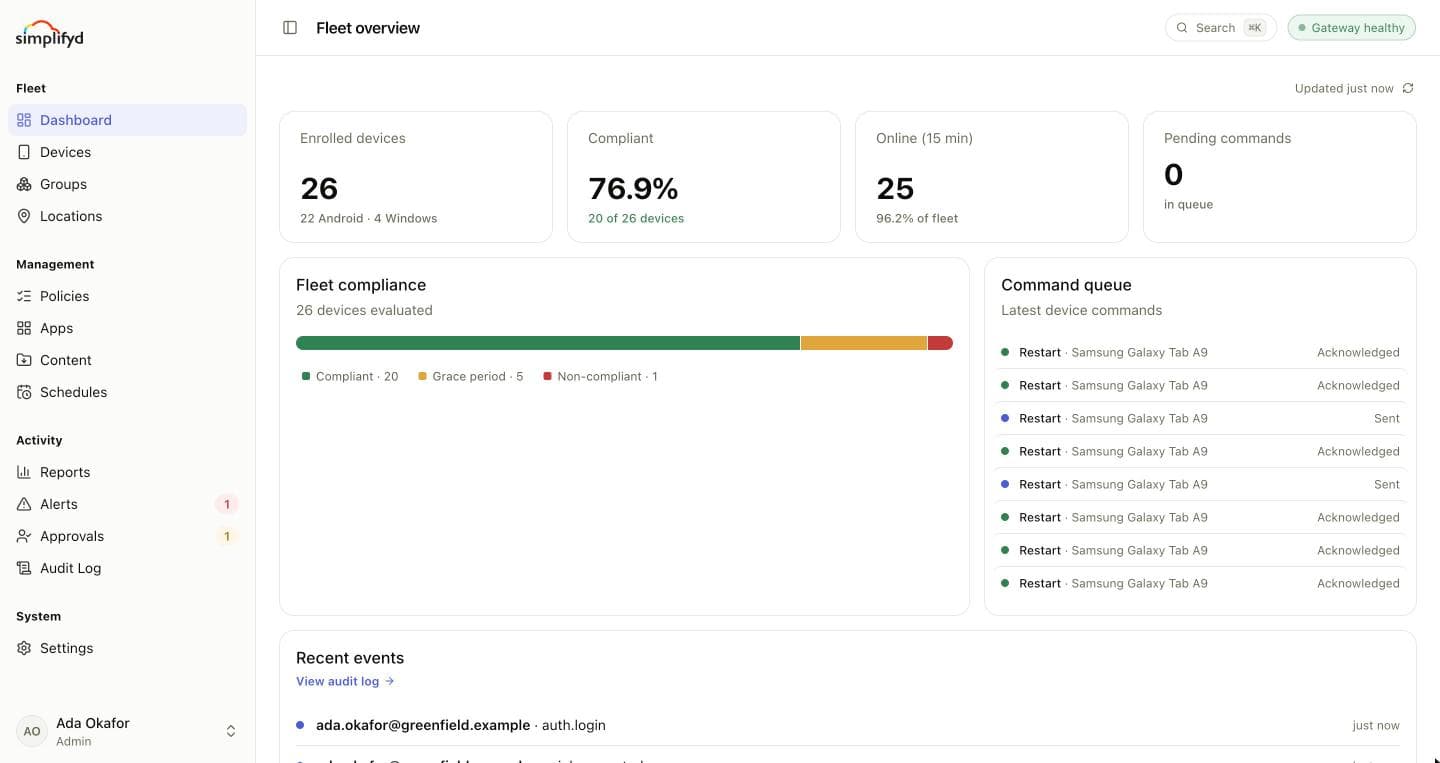
The Simplifyd console's fleet overview: enrolled devices, compliance, devices online and the command queue.
Compliant · 20 of 26PATCH_OUTDATED · grace periodLock · sent to Exam Tablets

Built for the devices you already have

  • Android phones
  • Android tablets
  • Windows laptops
  • Windows desktops
  • Work profiles
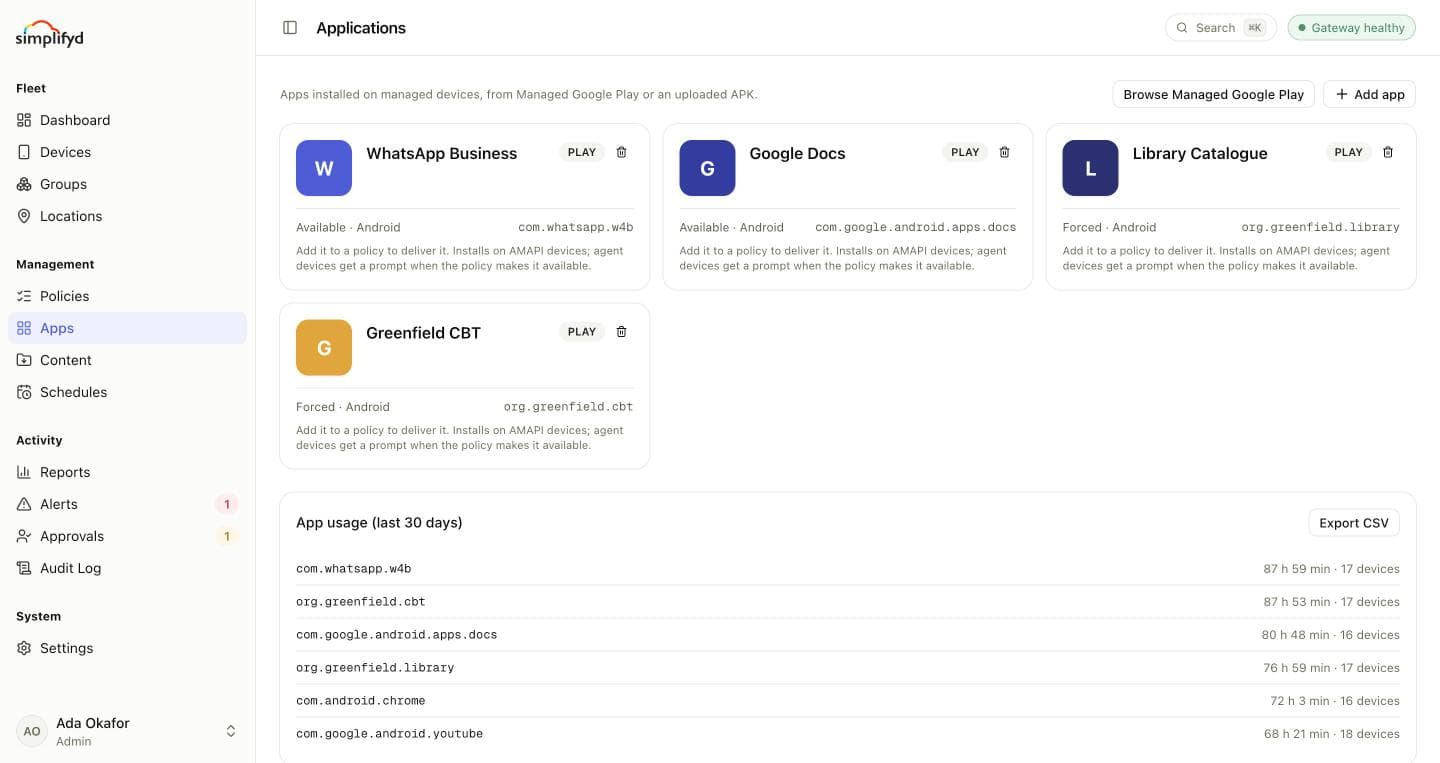
  • Managed Google Play
  • Play Integrity
  • Kiosk & exam mode
  • REST API
  • Signed webhooks
Platform_

The calm way to run a fleet of phones, tablets and laptops. One console, five jobs.

Every device, where it is and how it's doing, on one screen.

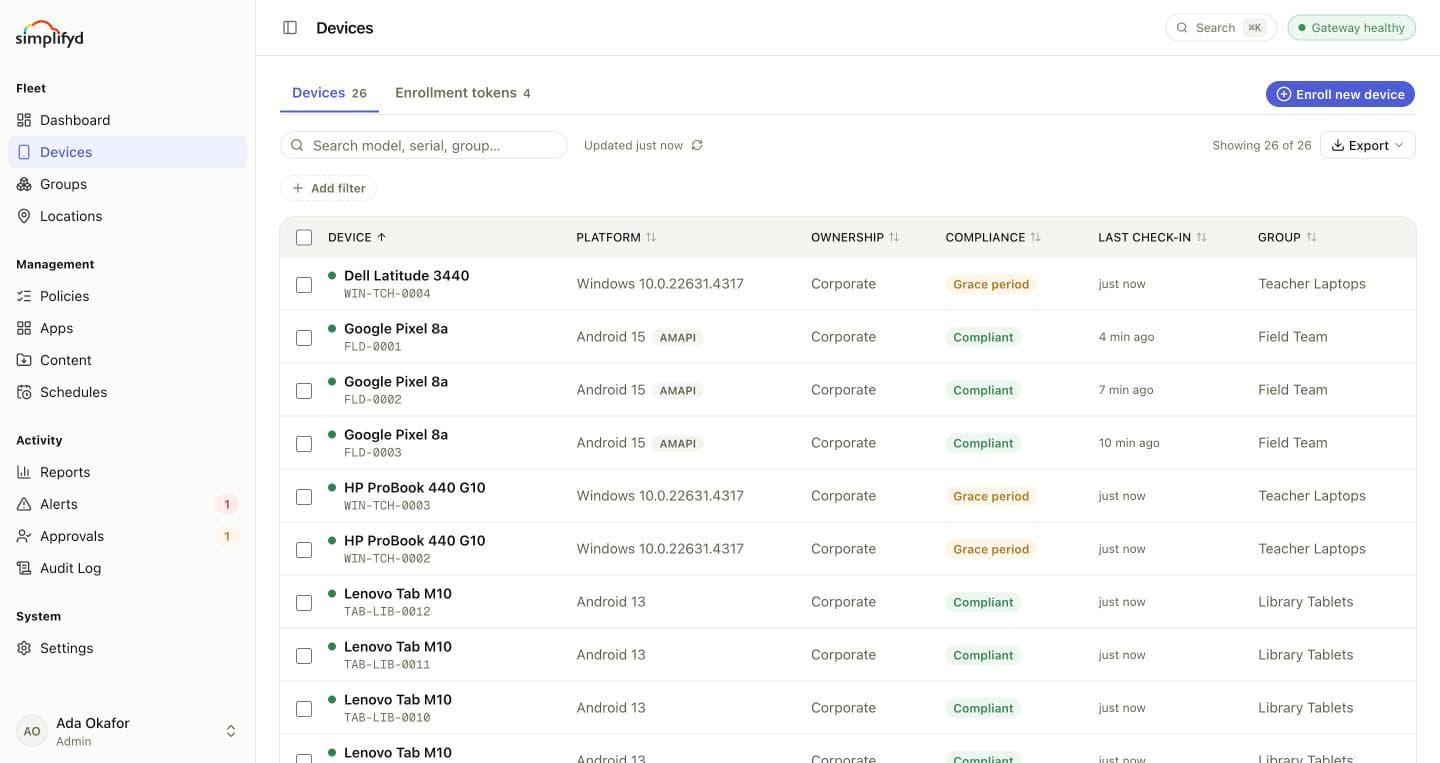
The Devices list, with each device's group, compliance, battery and last check-in.

[Capabilities]

  • Live inventoryModel, serial, battery, storage and last check-in for every phone, tablet and laptop.
  • Locations on a mapCompany devices report an approximate position. Personal phones never do.
  • Groups that sort themselvesDynamic groups move devices by rules, so the right policy follows them.
  • Reports for the boardCompliance trend, patch age and check-ins over 30 days, 90 days or a year.

01

~15 min

Between agent check-ins

02

3 ways

To manage an Android device

03

0

Audit entries anyone can edit

Compliance

Know which devices are out of line before anyone asks.

Anything a device does that its policy doesn't allow becomes a finding. It gets a grace period to put right, then is marked non-compliant, and can lock its own screen when time runs out.

View

How compliance works
100%
88%
71%
60%
75%

01

Exam Tablets

02

Library Tablets

03

Staff Phones

04

Field Team

05

Teacher Laptops

Sample fleet · Compliant

Share of each group's devices that follow every setting in their policy. Illustrative numbers from a demo school; your dashboard shows your own.

Toolkit_

Managing devices takes more than a lock button.

Everything a small IT team needs, from the first device to the whole estate.

Remote view

Help someone without standing behind them. See a company device's screen live and tap for the person, but only once they accept. They can end the session whenever they like.

Start sharing your screen with Simplifyd?

CancelStart now
Request sent · 20 minAccepted by deviceTap control on

Pilot, then promote

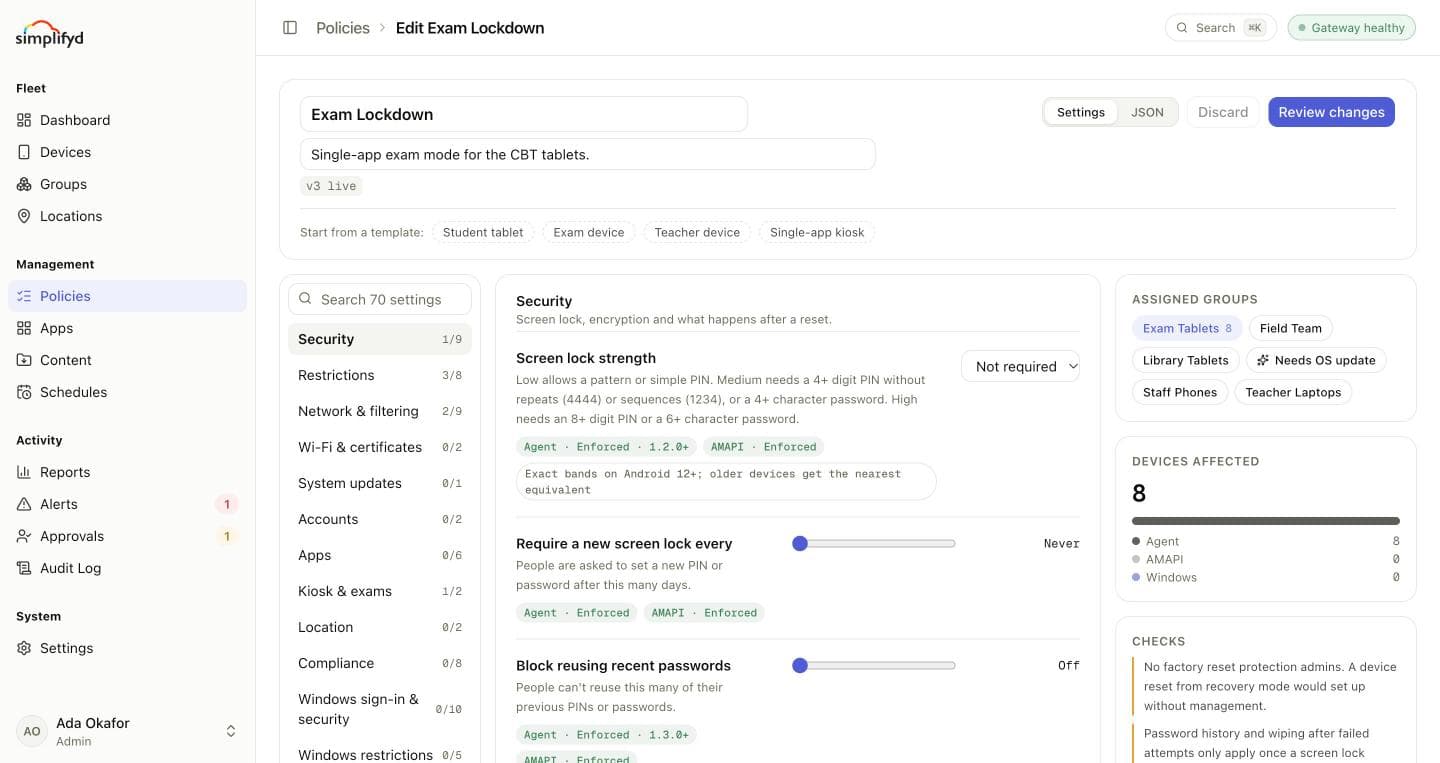
Try a policy change on one group first. Everyone else stays on the current version until you promote it. If the pilot goes wrong, end it and restore in one step.

Version history · Exam Lockdown

v4Piloting in Exam Tablets
v3Live · 5 groups
v2Kept
End pilot and restorePromote

Two-person wipes

Nothing is erased on one person's say-so. Require a second admin to approve wipes of a group, or every wipe. Requests lapse after 24 hours, and every decision is logged.

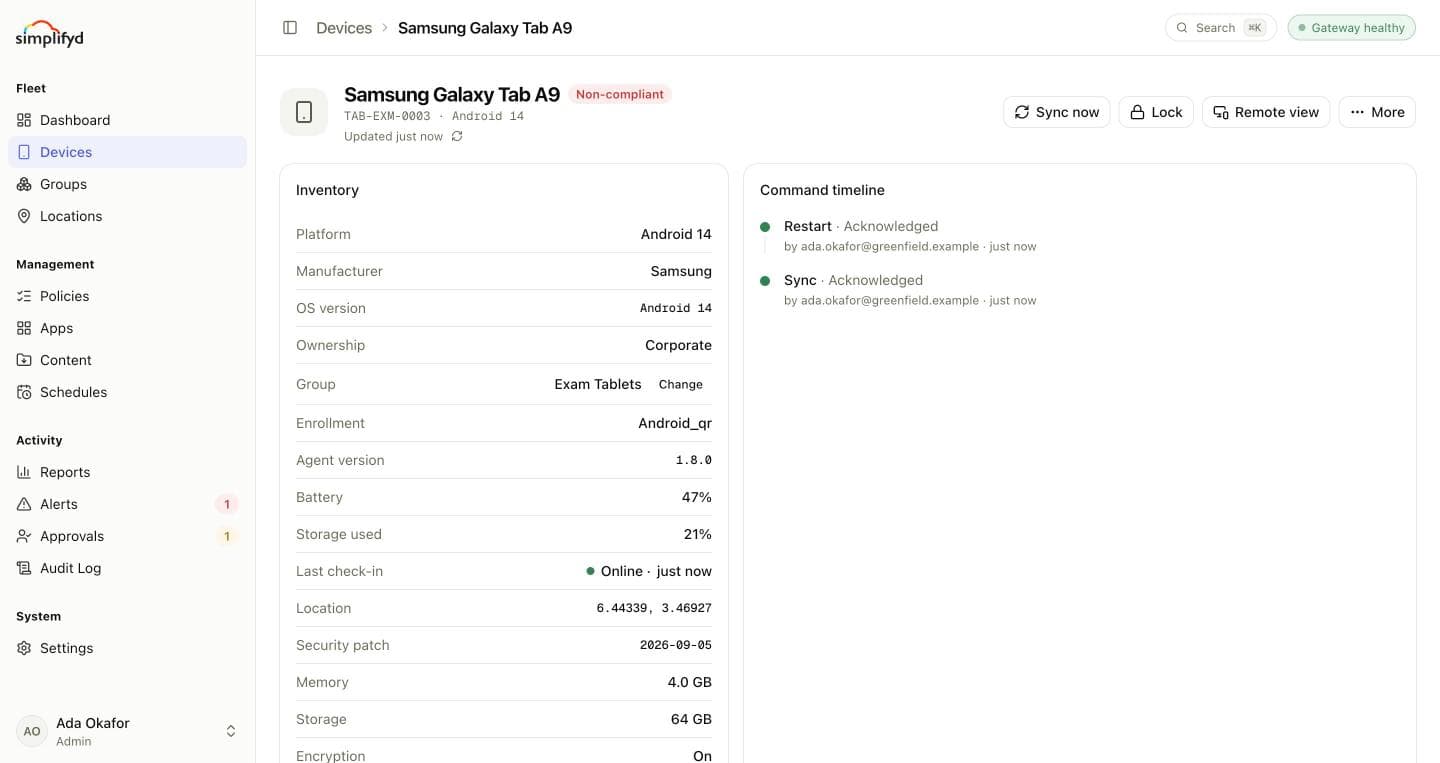
Wipe · Samsung Galaxy Tab A9

Lapses in 23h

TAB-EXM-0004 · asked by ada.okafor

“Reported stolen from the exam hall.”

Waiting for someone else
RejectApprove wipe

Places devices belong

Know when a device leaves the building. Draw the places devices should be at the times they should be there. A device outside them gets a finding, and your systems can hear about it.

OUTSIDE_GEOFENCE

Schedules

The routine jobs, done on their own. Restart the lab every night, lock the exam tablets when the paper ends, or sync content before the first lesson.

Restart · Library Tablets

Every day · 22:00

next in 6h

Lock · Exam Tablets

Fri · 12:00

next in 2d

Sync content · Student Tablets

Weekdays · 07:30

next in 15h

API and webhooks

Plug the fleet into the tools you already run. API keys with the role you give them, and signed webhooks for enrolments, compliance changes, commands, policies and approvals.

POST /hooks/mdm · X-MDM-Signature: t=…,v1=…

{
  "type": "device.compliance_changed",
  "data": {
    "device": {
      "serial": "TAB-EXM-0004",
      "group": "Exam Tablets",
      "compliance": "non_compliant"
    }
  }
}
Runbooks_

What a week with Simplifyd actually looks like.

Every awkward moment in device management has a step-by-step guide, written in plain English for whoever is on call.

Security_

Private by design for staff. Provable for auditors.

Work profile

MailDriveTeamsHRDocsChat

● Visible to IT

Personal

○ Never seen

Personal phones stay personal

IT sees the work profile and nothing else. Not personal apps, messages, photos, browsing or location. When someone leaves, the work profile goes and everything of theirs stays.

auth.login#9f3a…c1
policy.published#41be…7d
command.wipe#d07c…2e

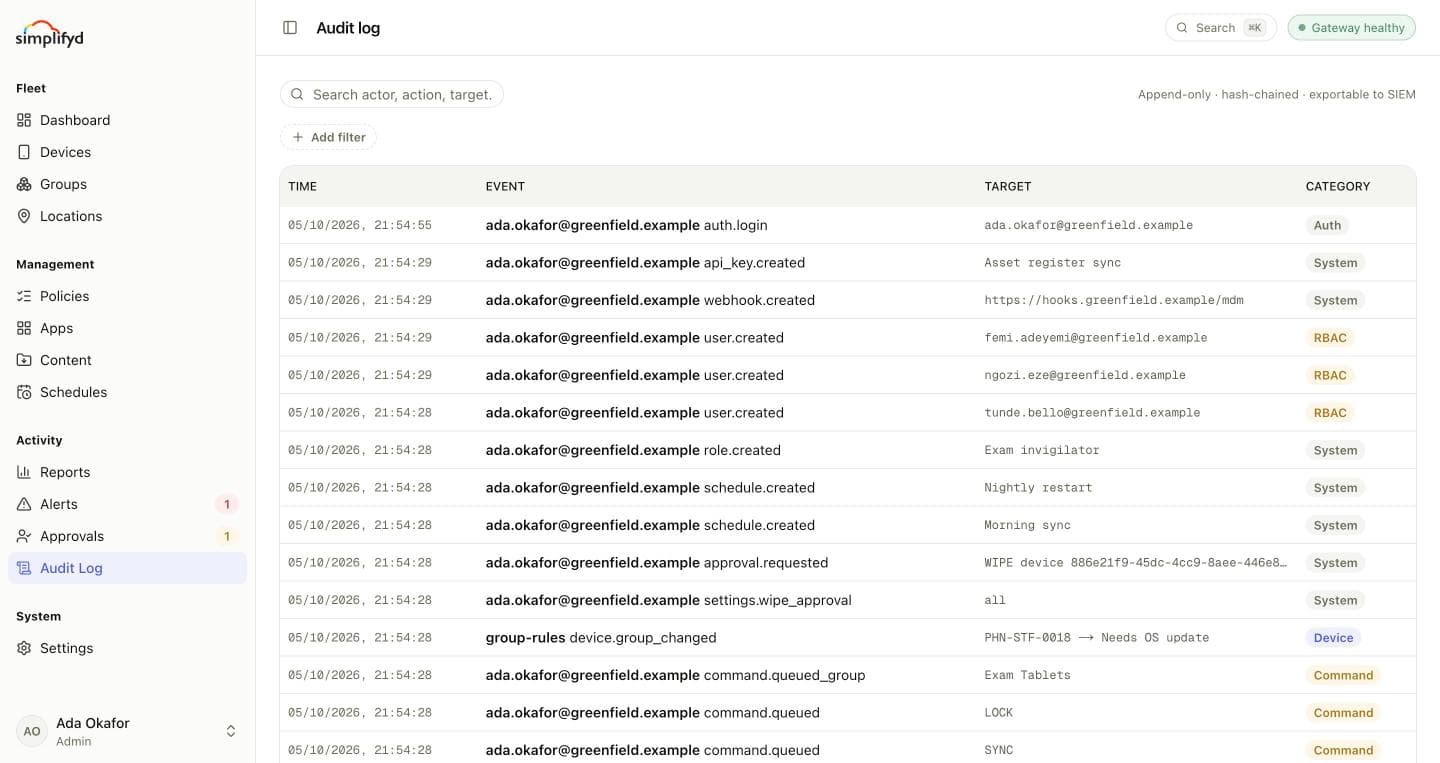
An audit log nobody can edit

Not admins, and not Simplifyd staff. Every sign-in, command, wipe, policy version and role change is recorded. Each entry carries a fingerprint of the one before it, so tampering shows.

Admin

WipePublishBilling

Helpdesk

LockRemote viewEnrol

Invigilator

Exam Tablets only
Authenticator code••• •••

The right access for each person

Roles, group limits and multi-factor sign-in. Admin, Helpdesk and Auditor out of the box, or a custom role with exactly the permissions you tick. Limit an invigilator to the exam tablets and nothing else.

Pricing

Pay per device. Everything included.

Your first 2 devices are free, for good. After that, each device is ₦7,500 a month. Pay by card and it renews on its own, or by bank transfer each month. If you run out of seats, devices already enrolled keep working.

  • Android agent, Google-managed and work-profile enrolment
  • Windows laptops and desktops
  • Policies with pilots and version history
  • Remote view, lost mode and two-person wipes
  • Locations, places and schedules
  • Reports, alerts and the audit log
  • API keys and signed webhooks
  • Roles, group limits and MFA
25devices
1500
Free devices
2
Paid seats × ₦7,500
23
Per month
₦172,500
Start free

Pay by card or bank transfer

( FIG.12 )

Bring every device under control today